Last updated: July 2026 — includes the new Tourist Pasmo (launched May 2026).
Watch the ticket gates at any Tokyo station and you’ll see the rhythm: tap, walk, gone. No fumbling for tickets, no squinting at fare maps. That tap is an IC card — Suica, Pasmo and their cousins — and getting one is the single fastest upgrade you can give your Japan trip.
The catch? 2026 quietly reshuffled the whole lineup. A brand-new tourist card arrived in May, iPhone users gained a convenient app-based option, and half the guides online still describe options that no longer exist — or miss the ones that just launched.
This guide is the current picture: which card (or app) fits you, where to get it, what it costs, and the credit-card trap to dodge before it catches you at a ticket gate. Five minutes from now, you’ll know exactly what to do when you land.

Disclosure: This article contains affiliate links. If you book through one, I may earn a small commission at no extra cost to you.
In a hurry? Here’s the one link you need:
- Welcome Suica, pre-loaded — pick up in Tokyo, tap and go
Mobile Suica on your phone is free — the card is for phones that can’t (details below).
- Why Everyone’s Confused About Suica in 2026 (It’s Not Just You)
- The 3-Second Answer: iPhone Goes Mobile, Android Goes Physical
- Suica vs Pasmo for Tourists: Your Four Options in 2026
- The Top-Up Trap: Why Your Credit Card Might Be Declined
- Traveling with Kids? It’s Physical Cards Only — Here’s the Drill
- How to Use Up Your Remaining Balance Before You Leave Japan
- Quick Answers: The Questions Everyone Googles
- The Bottom Line: Your Three-Second Decision, One Last Time
Why Everyone’s Confused About Suica in 2026 (It’s Not Just You)
If you’ve been googling how to pay for trains in Japan, you’ve probably noticed something strange — every article says something different. One says Suica cards are discontinued. Another says you can grab one at the airport, no problem. A Reddit thread from last year insists your phone is all you need. So which is it?
 Here’s what actually happened. Japan ran short of the chips used in IC cards back in 2023, and sales were suspended for a while. Then the cards came back, a mobile version launched, and in May 2026 a brand-new card called Tourist Pasmo joined the lineup. The situation changed almost every year — no wonder half the internet is out of date.
 The good news: as of July 2026, you have four solid options, and choosing the right one really comes down to two things — what phone you carry, and how long you’re staying. Let me sort it all out for you, so you don’t have to piece it together from ten different tabs.
The 3-Second Answer: iPhone Goes Mobile, Android Goes Physical
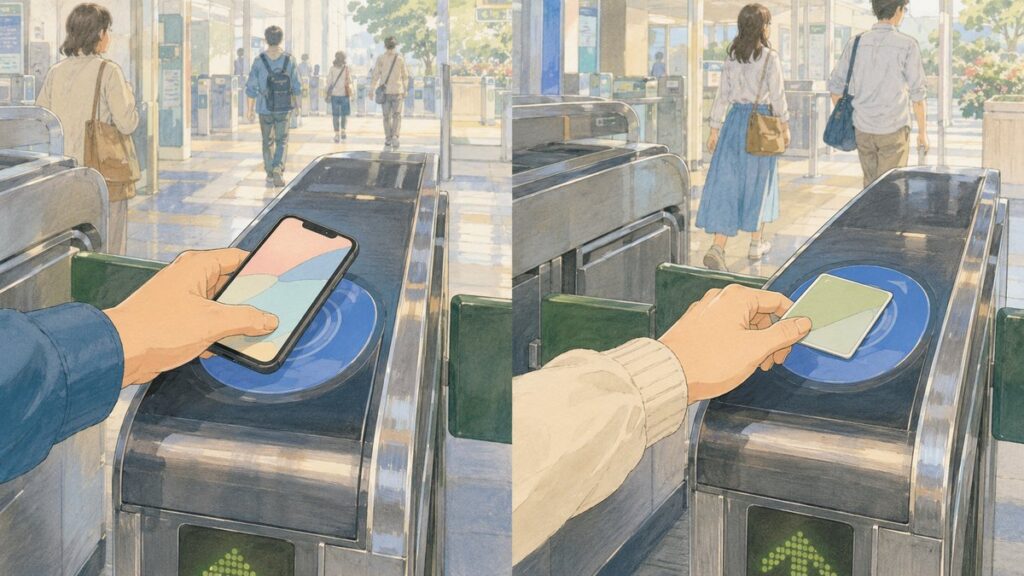
 Here’s the short version. If you have an iPhone, download JR East’s official Welcome Suica Mobile app — a digital Suica goes straight into your Apple Wallet, valid for 180 days, with no deposit to pay. If you have an Android phone bought outside Japan, a physical card is usually the safest choice. Most overseas Android models don’t support Japan’s mobile transit-card system, though compatibility varies by device.
Why the difference? Japanese tap-to-pay gates run on a special chip called FeliCa, and it’s built into phones made for the Japanese market — but most Android phones sold overseas don’t have it. No chip, no Mobile Suica, no matter how new or expensive your phone is. A physical card isn’t a downgrade, though: it taps just as fast, and it keeps working without relying on your phone battery at the ticket gate.
One more iPhone route worth knowing: you can also create a regular Suica directly in Apple Wallet, without downloading the Welcome Suica Mobile app. It isn’t designed specifically for tourists — so no built-in travel guidance — but on compatible iPhones it’s another convenient option.
 One honest note for iPhone users before you commit: the app works on Apple Pay–compatible iPhones and Apple Watches, you need to be 13 or older, and JR East notes that downloads and top-ups are restricted by law in a few countries. If any of that rules you out — or you simply like having a real card in your pocket — the physical options below have you covered. There are three of them now, and that’s exactly what the next section untangles.
Suica vs Pasmo for Tourists: Your Four Options in 2026
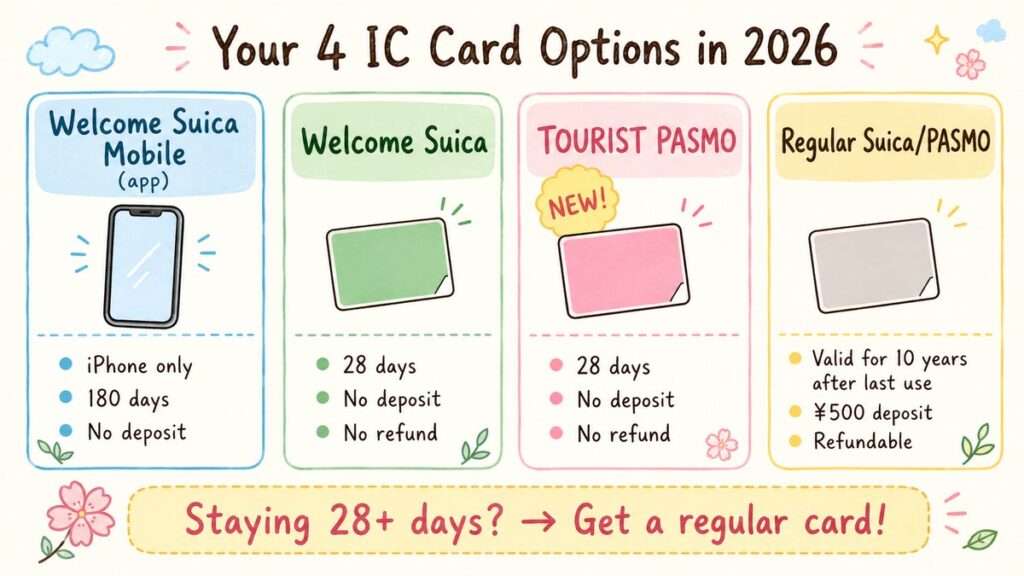
So what exactly are you choosing between? Here’s the whole 2026 lineup in one place — including Tourist Pasmo, which only launched in May 2026 and is missing from most guides.
| Option | Who it’s for | Valid | Deposit | Refund? | Where to get it |
|---|---|---|---|---|---|
| Welcome Suica Mobile (app) | iPhone / Apple Watch users | 180 days | None | No | App Store (free) |
| Welcome Suica (physical) | Everyone | 28 days | None | No | Vending machines at Narita & Haneda T3, JR EAST Travel Service Centers (Tokyo, Shinjuku, Shibuya, etc.) |
| Tourist Pasmo (physical, NEW) | Everyone | 28 days | None | No | Haneda (Keikyu) & Narita (Keisei) stations |
| Regular Suica / Pasmo (physical) | Stays over 28 days & repeat visitors | Until 10 yrs after last use | ¥500 | Yes | Ticket machines at most Tokyo-area stations |
How the money works: for the tourist cards, everything you pay becomes usable balance — the card itself is free. A regular card’s price includes a ¥500 deposit, so a ¥1,000 (≈$6.50) card gives you ¥500 to actually spend.
Prices are in yen, with rough dollar figures at about ¥154 to the dollar (September 2026). Exchange rates move, so treat the dollars as a ballpark.
Don’t overthink the Suica-versus-Pasmo part, by the way. The two tourist cards work almost identically wherever you see the nationwide IC-card logo — trains, buses, konbini and vending machines across most of Japan. The real difference is simply where you buy them. Land at Haneda and ride the Keikyu line? Tourist Pasmo is right there, and at Haneda the dedicated Keikyu machines even take credit cards for the initial purchase. Taking the JR side or the Monorail? Welcome Suica is your counter. Grab whichever is in front of you and move on with your holiday. Sales locations may vary depending on your arrival airport and the train line you use, so check the official website for the latest availability before your trip. And if you are still choosing how to get from the airport into the city, my Narita Airport to Tokyo guide compares every option — including which trains need more than a tap.
 Prefer to have your card secured before you even board the plane? Klook sells the Welcome Suica pre-loaded with ¥1,500 (≈$10)–¥2,000 (≈$13), picked up at Haneda Airport. You pay a small premium compared to the station machines, but your card is reserved and waiting — one less thing to figure out after a long flight.
A couple of limits worth knowing: neither card is accepted on absolutely every train or bus, and you generally can’t use one for a single continuous ride across separate IC-card regions — say, from the Tokyo area straight into the Sendai area. Most travelers are unlikely to run into this during ordinary city travel.
And if you’re not starting in Tokyo at all — landing at Kansai (Osaka), Kyoto or somewhere else? You don’t need to hunt down a Suica or Pasmo specifically. A regional card like ICOCA works almost the same way across participating areas nationwide, so just grab whatever the local airport or station offers.
The one genuinely different choice is the regular Suica or Pasmo. It costs a ¥500 deposit, but it stays valid as long as you use it at least once every 10 years, and you can get the deposit back when you return the card in the issuer’s service area (a handling fee of up to ¥220 may come out of any remaining balance). If you’re staying longer than 28 days — or you already suspect Japan is going to pull you back for a second trip — skip the tourist cards and buy a regular one. Older guides may say sales were suspended; that ended in March 2025, and the cards are back in the ticket machines.
One thing all three tourist options share: any balance left when you fly home can’t be refunded. Don’t worry — there’s a whole section below on how to use it down to the last yen.
The Top-Up Trap: Why Your Credit Card Might Be Declined
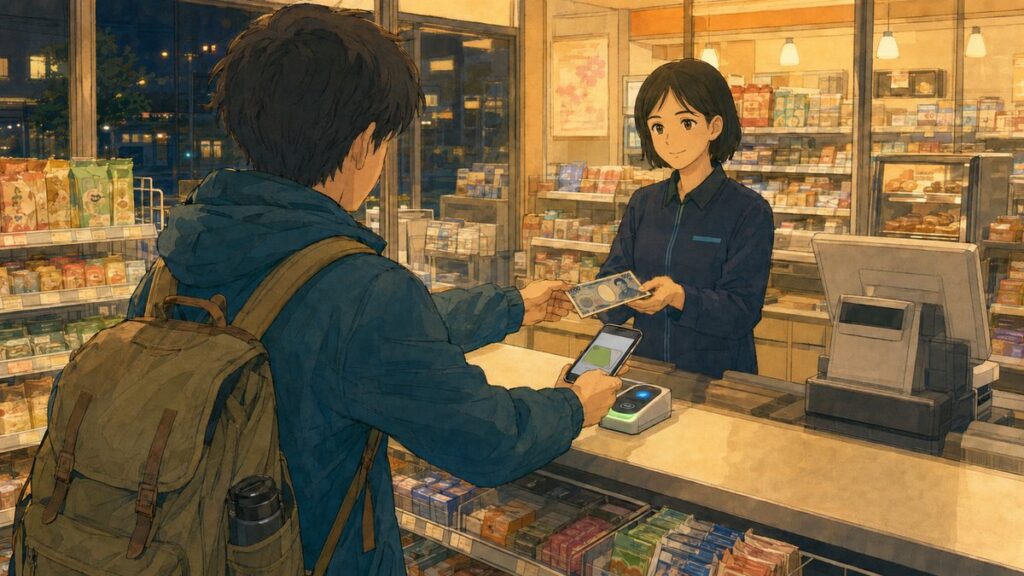
Picture this: you’re at a ticket gate in Shinjuku, your balance is short, so you open the app to top up — and your card gets declined. The same card that paid for your flights and hotels without a hiccup. If it’s a Visa issued outside Japan, you may have just met one of the most common Suica headaches on travel forums.
Here’s what’s going on. The Welcome Suica Mobile app tops up through whatever credit card is saved in your Apple Pay. Some travelers report that foreign-issued Visa cards get declined at top-up, while certain Mastercard and American Express cards work more reliably. Results vary by card issuer, though, and JR East doesn’t guarantee that any particular brand will work — their FAQ simply says to check with your card company. So I won’t promise you how your card will behave. What I can point you to is a backup that always works.
 Cash. Walk into any convenience store, hand your yen to the clerk and say “Suica top-up, please.” You touch your phone or card to the reader, and you’re done in about thirty seconds. This works for mobile and physical cards alike, in ¥1,000 (≈$6.50) units. Station ticket machines do the same job, and Seven Bank ATMs inside 7-Eleven stores can top up physical cards too. If you need to withdraw yen first, my guide to using a foreign card at Japan ATMs walks you through the screen and the fees.
One more heads-up so nothing surprises you: physical cards are cash-only for top-ups anyway — credit cards can’t top up a Welcome Suica at all, and Tourist Pasmo takes plastic only for the initial purchase at the Haneda machines. In other words, whatever you carry, Japan expects top-ups in yen — tuck a few thousand into your daily pocket money and you’ll never think about this again. And if you’re an iPhone user, do yourself one favor: try a small top-up right after you land, while the airport konbini is still ten steps away. If you’re working out how much yen that means for your trip, see how much cash to bring to Japan.
Traveling with Kids? It’s Physical Cards Only — Here’s the Drill
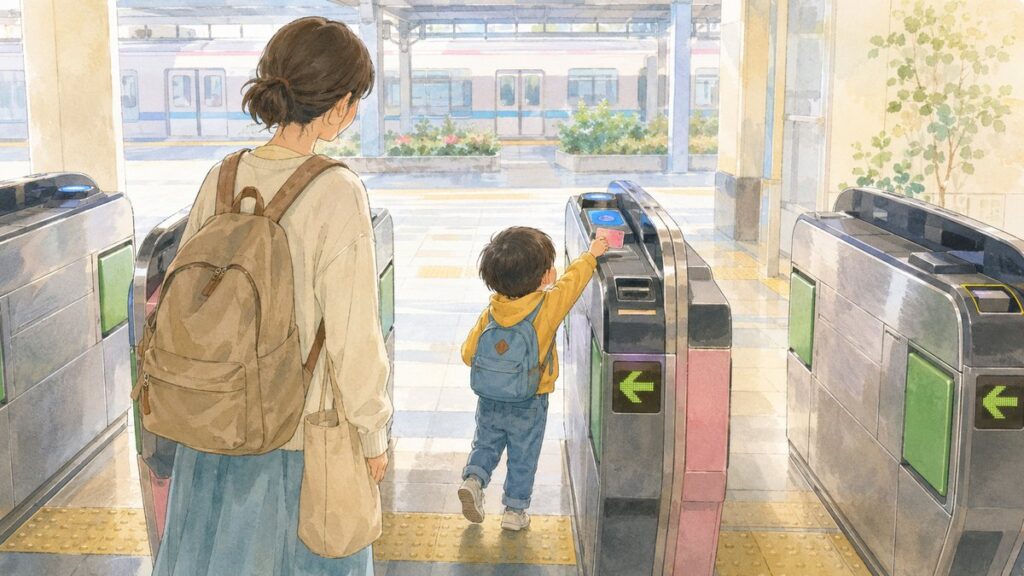
If your kids are under 13, the app is off the table — Welcome Suica Mobile requires users to be 13 or older. Honestly, that’s fine. Both Welcome Suica and Tourist Pasmo come in child versions, and they automatically charge the child fare every time your little one taps through the gate. No paper tickets to lose, no explaining Japanese fare tables to a jet-lagged eight-year-old.
The one thing to have ready is your child’s passport. Buying a Welcome Suica (Child) involves ID verification — a parent can make the purchase on the child’s behalf, but you’ll still be asked to show the child’s ID, and the vending machine will ask you to enter their birth date. The child cards carry the same 28-day tourist validity as the adult ones. There’s just one extra limit: they can’t be used past March 31 following the child’s 12th birthday, even if the 28 days aren’t up — Japan runs these things on the school year — and Tourist Pasmo’s child version works the same way.
A couple of notes from this Japanese mom before we move on. First, don’t try to stretch a child card past that cutoff: if it’s used beyond the age limit, the penalty is the adult fare from the boarding station plus twice that fare on top. Not worth it. Second, children under six usually ride free with a paying adult, so most preschoolers won’t need a card at all — though a child fare can apply if they travel alone, take their own reserved seat, or if more than two little ones tag along with a single adult. If your preschooler doesn’t need one, that’s a bit of yen saved — enough for a melon pan, at least.
How to Use Up Your Remaining Balance Before You Leave Japan

Let’s deal with the fine print all three tourist options share: any balance left when you go home can’t be refunded. The official pages suggest you keep the card as a souvenir instead. And on the mobile app, any leftover balance quietly expires at the end of the 180 days. So the goal is simple: leave Japan with as little balance as possible.
The good news is that this is Japan, where an IC card is basically pocket money. It works at convenience stores, vending machines, coin lockers, many restaurants and drugstores — so in your last day or two, just stop topping up and start spending the card first. Toward the end, check your balance in the app or at a station machine, then keep any top-ups small (¥1,000 (≈$6.50) is the minimum, and that’s plenty) so you don’t build up more than you can spend.
One practical tip for those final purchases: most stores won’t split a single payment between your card and cash, so don’t plan on covering “the rest” with coins at the register. Instead, aim your leftover balance at something that costs the same or a little less — a konbini snack, a drink, a small souvenir. A ¥137 balance? Grab a ¥130 bottle of tea and you’re all but empty. The airport konbini, right before security, is the classic spot for this last little mission.
 As for the card itself — take it home. It costs you nothing to keep, it’s a genuinely pretty souvenir, and if you’re back in Japan within its validity window, it works the moment you tap it. Your wallet gets a little memory of Japan either way.
Quick Answers: The Questions Everyone Googles
Before we wrap up, let’s clear the questions that fill every search bar and Reddit thread.
Do I need a Suica card in Japan at all?
Strictly speaking, no — ticket machines still sell paper tickets, and cash works fine. Practically speaking, get one on day one. A typical Tokyo day crosses multiple train companies, a bus or two and a coin locker, and a tap-and-go card turns each of those into a two-second interaction. It also saves you from decoding the giant fare maps above the ticket machines — worth it for that alone.
Can I pay for the Shinkansen with it?
Not straight from the card balance, in most cases — a normal Shinkansen ticket is a separate purchase. There are two exceptions worth knowing. On the mobile app, Welcome Suica Mobile supports “Touch de Go! Shinkansen” for non-reserved seats on eligible JR East routes (the lines heading north from Tokyo), and you can book reserved JR East seats through JR-EAST Train Reservation right inside the app. For the Tokaido Shinkansen between Tokyo, Kyoto and Osaka, it’s a different rail company — buy a separate ticket, or use a compatible reservation service like SmartEX. Either way, your IC card still handles the local trains to and from the station.
I have a JR Pass — do I still need an IC card?
Usually yes — the two work well together. The JR Pass covers eligible JR trains; your IC card picks up everything the pass doesn’t — subways, private railways, buses, vending machines and konbini runs. Most JR Pass holders end up carrying both. And if you’re still weighing whether the pass itself is worth it, especially with the October 2026 price rise coming, I’ve written a full breakdown: Is the JR Pass Still Worth It?
Does everyone in my group need their own card?
Yes — one card, one person. The gates track each traveler in and out, so you can’t tap two people through on the same card, and JR East sells Welcome Suica at one per person to begin with. Adults each get their own, and kids get the child version we covered above. On the bright side, watching your whole family tap through a Tokyo ticket gate in a row like locals is a tiny, satisfying travel milestone.
The Bottom Line: Your Three-Second Decision, One Last Time
Japan’s IC card situation looks messy from the outside — four options, three years of rule changes, and a pile of outdated guides. But your actual decision is short:
- iPhone? → the Welcome Suica Mobile app (free, no deposit, 180 days) is the easiest tourist-friendly option. You can also add a regular Suica directly in Apple Wallet.
- Android bought outside Japan? → a physical tourist card at the airport. Welcome Suica or Tourist Pasmo, whichever counter is in front of you.
- Staying over 28 days, or planning a return trip? → a regular Suica or Pasmo. ¥500 deposit, refundable, and good for years.
- Physical card? → top it up with cash at stations, convenience stores or supported ATMs.
- Using the app? → try Apple Pay first, but keep some cash handy in case your card is declined.
One little card (or phone) now covers your trains, buses, lockers, vending-machine drinks and midnight konbini runs. That’s one whole category of travel stress gone before you’ve even left the airport.
And Suica isn’t the only thing that changed this year — 2026 also brought new prices, taxes and rules across Japan travel. I’ve rounded up everything in one place: What’s Changing for Japan Travel in 2026.
And if souvenir shopping is on your list, one more guide before you go: Japan’s tax-free system gets a complete makeover on November 1, 2026 — my tax-free shopping guide covers who qualifies, the ¥5,000 (≈$33) rule, and what to do at the airport.
One more piece of first-day prep: mobile Suica setup and top-ups happen online, so make sure your phone has data from the moment you land — my Japan eSIM comparison covers seven plans so you don’t have to guess.
Reserve a pre-loaded Welcome Suica on Klook
 Now I’m curious about your side of the world — does your city have a tap-and-go transit card like Suica, or are you still buying paper tickets? And what’s it called? Tell me in the comments below. I read every single one!
I hope this guide has answered one of your questions and helped you feel a little closer to Japan. May your Japan journey be filled with wonderful discoveries and memories you’ll treasure for years to come.
See you in the next guide. 


Comments