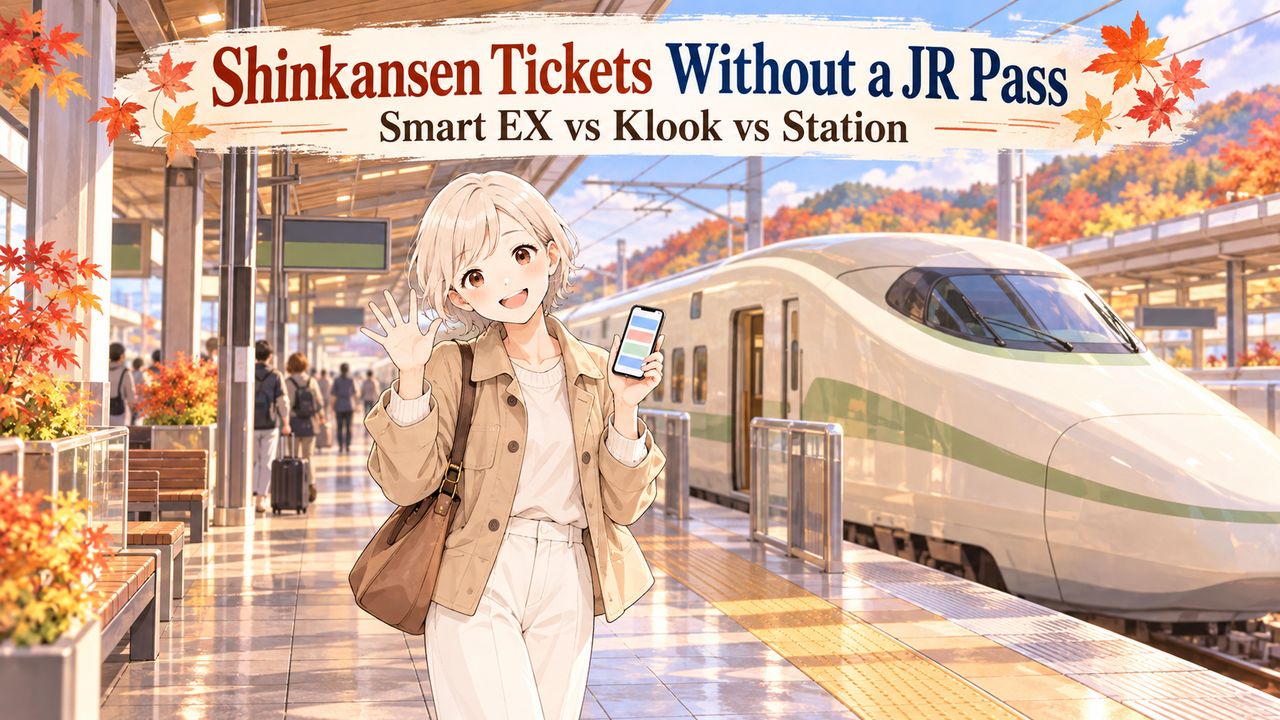
You’ve decided to skip the JR Pass. Great, one decision down! But now you’re looking at three different ways to buy a Shinkansen ticket, and somehow a simple train ride has turned into another travel-planning puzzle.
When friends ask me where to buy their tickets, my first answer is usually, “Just book on Smart EX from your phone.” That’s what I use for my own family of four. I book on my phone, link our IC cards, and tap through the Shinkansen gates without buying paper tickets.
But Smart EX doesn’t work for everyone’s credit card, and that’s where Klook or a station ticket machine can help.
Here’s my quick answer:
- Smart EX: My first choice if your credit card works.
- Klook: A useful alternative if Smart EX rejects your card or you’d rather pay before arriving in Japan.
- Station: A practical choice if you prefer buying in person.
I’ll help you choose, understand the ticket prices, and know what to do with kids, suitcases, or a missed train.
Still deciding whether you need a rail pass? Start with my guide to whether the JR Pass is worth it.
Disclosure: This article contains affiliate links. If you buy through one, I may earn a small commission at no extra cost to you.
Quick booking links
 Smart EX official app · my first choice
 Tokyo to Kyoto on Klook book before you arrive
 Tokyo to Shin-Osaka on Klook book before you arrive
 Station ticket machines and counters buy in person
Klook links are affiliate links. Smart EX is the official JR service (no affiliate link).

- The 30-Second Answer: Which Way to Buy Fits You
- What It Costs: Tokyo to Kyoto & Shin-Osaka
- Option 1: Smart EX, the Official App
- If Smart EX Rejects Your Card
- Option 2: Klook, the English-Friendly Backup
- Option 3: The Station + the Two-Ticket Trap
- Do You Need to Book Ahead?
- With Kids and Big Suitcases
- Missed Your Train or It Got Cancelled?
- FAQ
- Bottom Line: Pick One, Then Book Your Stay
The 30-Second Answer: Which Way to Buy Fits You
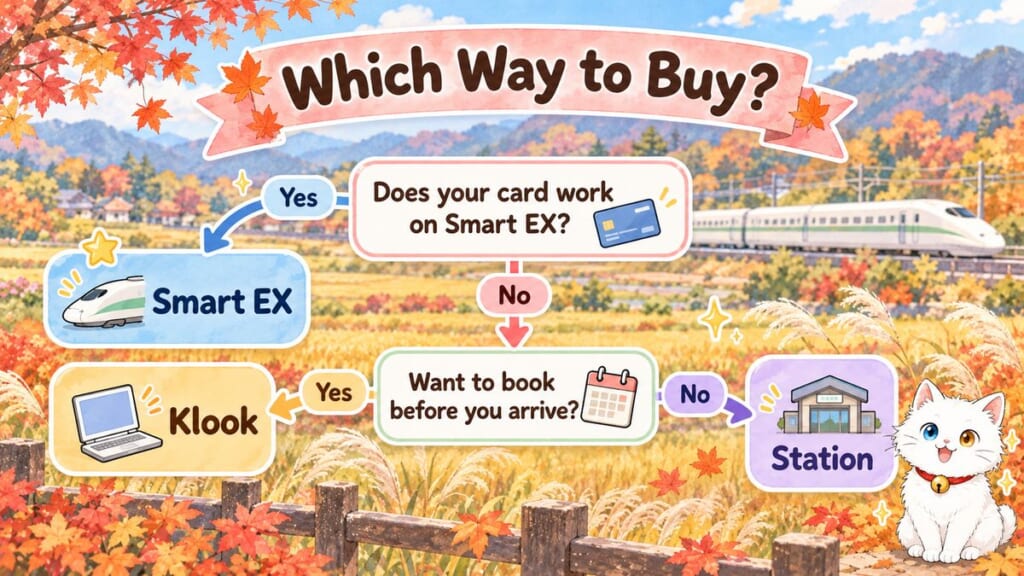
You don’t need to compare every ticket website before booking your train. For a Tokyo-to-Kyoto or Tokyo-to-Osaka trip without a JR Pass, I’d narrow your choices to these three.
| Smart EX | Klook | Station | |
|---|---|---|---|
| Best for | Travelers whose cards work with the official system | Travelers who need another online payment option | Travelers who prefer buying in person |
| How you pay | Registered credit, debit, or prepaid card | Online payment; displayed currency and options depend on checkout | At a machine or staffed counter |
| How you board | Linked IC card or QR code; paper pickup also possible | QR ticket on eligible routes | Paper tickets |
| Changes and refunds | Free changes before departure under the conditions; refund fee applies | Changes/cancellations subject to a one-hour cutoff and ticket conditions | JR ticket rules and applicable fees |
| Price | Official Smart EX fare; advance discounts may apply | Lowest fare matched Smart EX when checked; final total shown at checkout | Standard JR fare; sometimes slightly higher than Smart EX |
I personally start with Smart EX because it’s how I normally book our family’s tickets. There’s no reason to add another booking service if the official one already does everything you need.
If Smart EX rejects your card, Klook lets you arrange your ticket before arriving in Japan. Or you can buy it at the station.
 One small but useful detail: the Shinkansen station for Osaka is Shin-Osaka, not Osaka Station. Choose Shin-Osaka when booking a train from Tokyo, even if your hotel is elsewhere in Osaka.
What It Costs: Tokyo to Kyoto & Shin-Osaka
Here are the standard Smart EX adult one-way fares as of October 26, 2026.
| Route | Non-reserved | Nozomi reserved | Green Car |
|---|---|---|---|
| Tokyo → Kyoto | ¥13,320 (about $89) | ¥13,970 (about $93) | ¥18,840 (about $126) |
| Tokyo → Shin-Osaka | ¥13,870 (about $92) | ¥14,520 (about $97) | ¥19,390 (about $129) |
Dollar amounts are approximate, using a fixed rate of ¥150 = $1 for October 2026. These are standard Smart EX fares for an adult traveling one way, not live quotes.
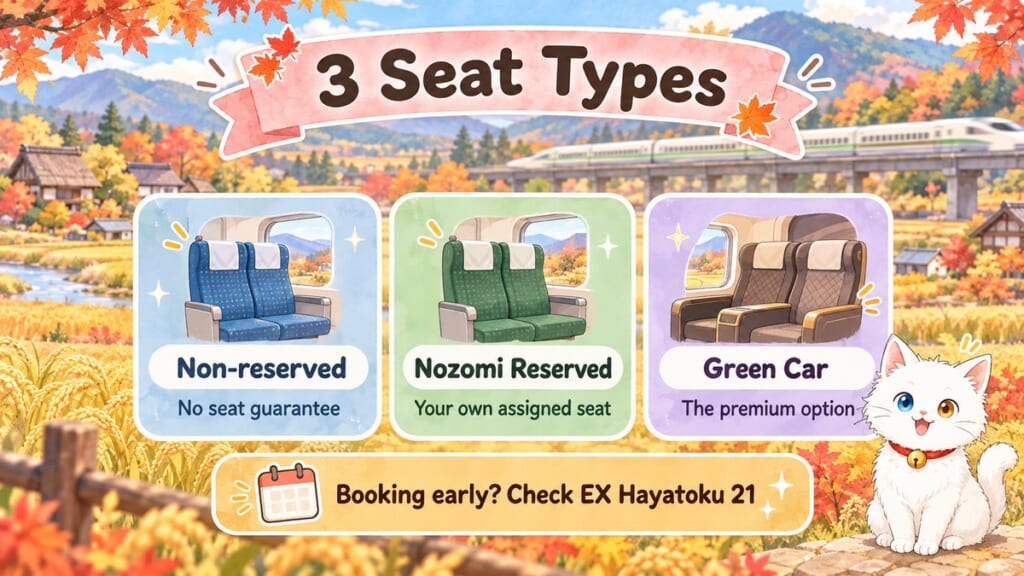
 A non-reserved ticket doesn’t guarantee a seat. A reserved Nozomi ticket gives you an assigned seat, while Green Car is the premium option.
For Tokyo to Shin-Osaka, a reserved Nozomi ticket costs ¥14,720 (about $98) at the station versus ¥14,520 (about $97) on Smart EX. Green Car costs ¥19,590 (about $131) versus ¥19,390 (about $129). That’s a ¥200 (about $1) difference for either option.
Nozomi reserved-seat fares are set to rise for tickets bought from July 1, 2027. For example, a reserved Nozomi seat from Tokyo to Shin-Osaka bought at the station will go from ¥14,720 (about $98) to ¥15,420 (about $103). Non-reserved fares aren’t part of this increase.
Seasonal adjustments to reserved-seat fares range from ¥200 (about $1) below the regular fare to ¥400 (about $3) above it.
Can you pay less by booking early?
Yes, if an advance-discount fare fits your travel dates and conditions.
Smart EX’s EX Hayatoku 21 offers these adult one-way Nozomi reserved-seat fares:
| Route | EX Hayatoku 21 |
|---|---|
| Tokyo → Kyoto | ¥12,430 (about $83) |
| Tokyo → Shin-Osaka | ¥12,980 (about $87) |
EX Hayatoku 21 is available from one month to 21 days before departure, subject to availability. Changes aren’t allowed, refunds before departure cost ¥320 (about $2), and the offer excludes periods such as Golden Week, Obon, and New Year’s. If your plans might change, I’d choose a regular fare.
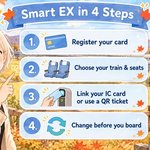
Option 1: Smart EX, the Official App
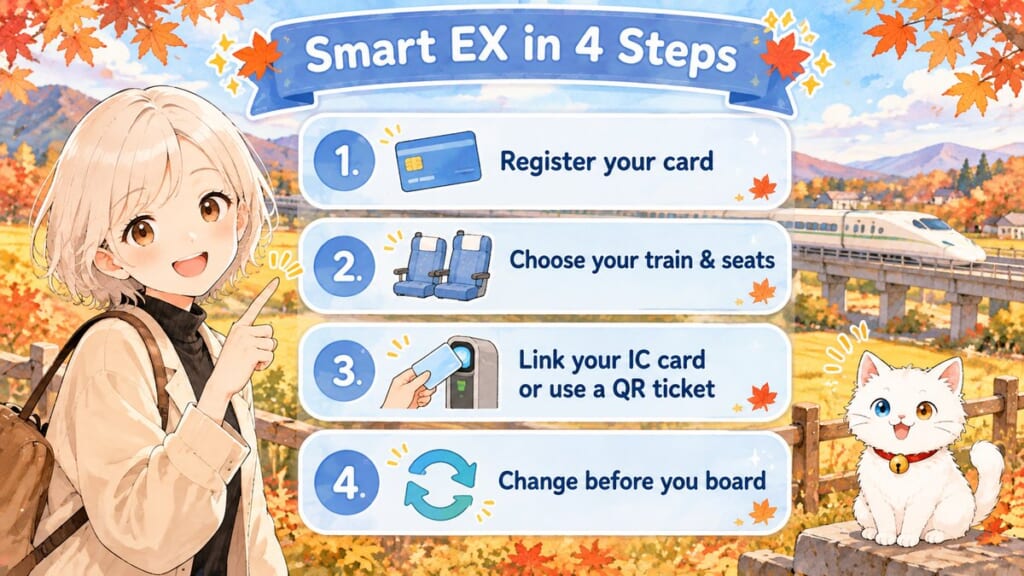
Smart EX is the official reservation service for the Tokaido Shinkansen. I use it to book our family’s tickets on my phone, link our IC cards, and board without paper tickets.
Step 1: Register for Smart EX
Start with the official Smart EX website or app and create an account. You must be at least 18 years old and register an eligible card in your own name.
Supported brands include Visa, Mastercard, JCB, American Express, Diners Club, and Discover. Debit and prepaid cards may also work, but registration depends on your card issuer and its 3-D Secure authentication settings.
Step 2: Choose your train and seats
Regular seat reservations open at 10:00 a.m. Japan time, one month before your departure date. Smart EX also takes advance requests from 5:30 a.m. up to one year ahead, with seats assigned one month before travel.
Search for your departure station, destination, travel date, and preferred train. For these routes, you’ll normally choose a train such as Nozomi and then select the relevant seating option.
If you’re traveling with someone, pay attention to the seat selection before completing payment. A confirmed reservation for the same train doesn’t automatically mean everyone will sit together.
Not sure where to stay in Tokyo before your trip? My guide to Shinjuku vs Shibuya vs Tokyo Station compares three handy bases, including Tokyo Station, where many Shinkansen trips start.
Step 3: Link your IC card or use a QR ticket
After booking, you can register a supported transportation IC card for ticketless boarding. Suica, PASMO, ICOCA, Mobile Suica, and Suica in Apple Wallet are among the supported options.
The Shinkansen reservation is linked to the IC card you’ve registered for that passenger. At the appropriate gate, tap the card and follow the gate’s instructions, including collecting any seat-information slip it issues.
Your Suica balance doesn’t pay for the Smart EX ticket; the linked IC card identifies your reservation at the gate.
If you haven’t chosen an IC card yet, I’ve explained the differences in my Suica vs PASMO guide.
Smart EX also supports QR boarding at Shinkansen gates displaying the QR symbol. The QR ticket can be added to Apple Wallet, but don’t assume every railway gate accepts it.
 For example, you can’t use the Smart EX QR ticket at Tokyo Station’s conventional-line entrance. Head to the appropriate Shinkansen gate instead.
Step 4: Change your booking if plans move
Before entering the Shinkansen gate and before the reserved train departs, eligible reservations can be changed repeatedly without a change fee, within the applicable conditions and the three-month period measured from the original travel date. A different train or fare may still change the amount you pay.
If you cancel an ordinary reservation before departure, the standard refund fee is ¥320 (about $2).
Discounted tickets such as EX Hayatoku 21 have different conditions, including restrictions on changes. Check which fare you’ve selected before paying, especially if you’re booking around a flight arrival.
If Smart EX Rejects Your Card
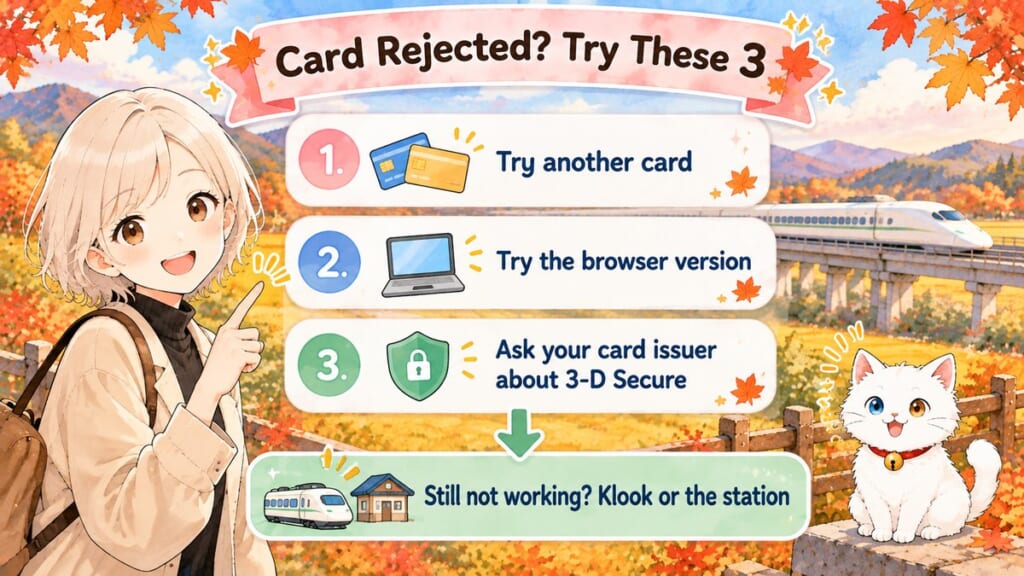
If Smart EX rejects your card, you still have other ways to book. Smart EX’s English site says you can book from your home country before you arrive, though your card company may add a foreign transaction fee.
Travelers report mixed results with different cards, so I’d try these three steps before switching booking methods.
- Try another eligible card. If you have a different card brand available, attempt registration with that card.
- Try the browser version. If you’ve been using the app, open the official Smart EX website and attempt the process there.
- Ask your card issuer about 3-D Secure. Confirm that identity verification is enabled and that the transaction isn’t being blocked.
 If your card still won’t go through, move on to Klook or buy your tickets at the station. You don’t need a JR Pass just because Smart EX isn’t cooperating.
Option 2: Klook, the English-Friendly Backup
Klook lets you book Tokyo–Kyoto and Tokyo–Shin-Osaka Shinkansen tickets in English and pay before arriving in Japan. It’s a useful alternative if Smart EX rejects your card, with the final payment options and total shown at checkout.
How to book through Klook
Start by choosing your route. Klook has separate booking options for the two journeys covered in this guide.
Choose your date, train, passengers, and seats, then check the final price and ticket conditions. Klook supports QR boarding on eligible routes, but follow your booking instructions for the correct gate or ticket collection method.
What about Klook’s price?
When I checked on October 26, 2026, Klook’s lowest Tokyo–Kyoto fare for November 1 was ¥13,320 (about $89), the same as Smart EX’s non-reserved fare. Klook shows the final price at checkout, so compare that total for the same route, date, train, and seat type before paying.
The price can match Smart EX, so Klook isn’t necessarily more expensive. What matters is the final total and the booking conditions that work for you.
Changing or canceling a Klook booking
Klook’s stated modification and cancellation cutoff for these tickets is one hour before departure, subject to the booking conditions. Changes or cancellations aren’t available after the QR code has been scanned or the ticket has been collected.
For an eligible refund request, open the Klook app and go to Account → Bookings → Refund.
That gives you less last-minute flexibility than an ordinary Smart EX reservation. If your plans might change shortly before departure, keep this difference in mind.
Klook’s Shinkansen pages show a “Travel with reserved luggage space” option. Make sure the train you pick includes it before you pay.
If Smart EX won’t accept your card, you can still arrange your Shinkansen journey before arriving in Japan. Check Klook’s final price and conditions, choose your destination, and book when you’re happy with both.
Tokyo to Kyoto Shinkansen Ticket
Book in English before you arrive. QR boarding on eligible routes.
Fares change with the date, train and seat type — check the final total on Klook.
Tokyo to Shin-Osaka Shinkansen Ticket
For Osaka, choose Shin-Osaka. QR boarding on eligible routes.
Fares change with the date, train and seat type — check the final total on Klook.
Option 3: The Station + the Two-Ticket Trap
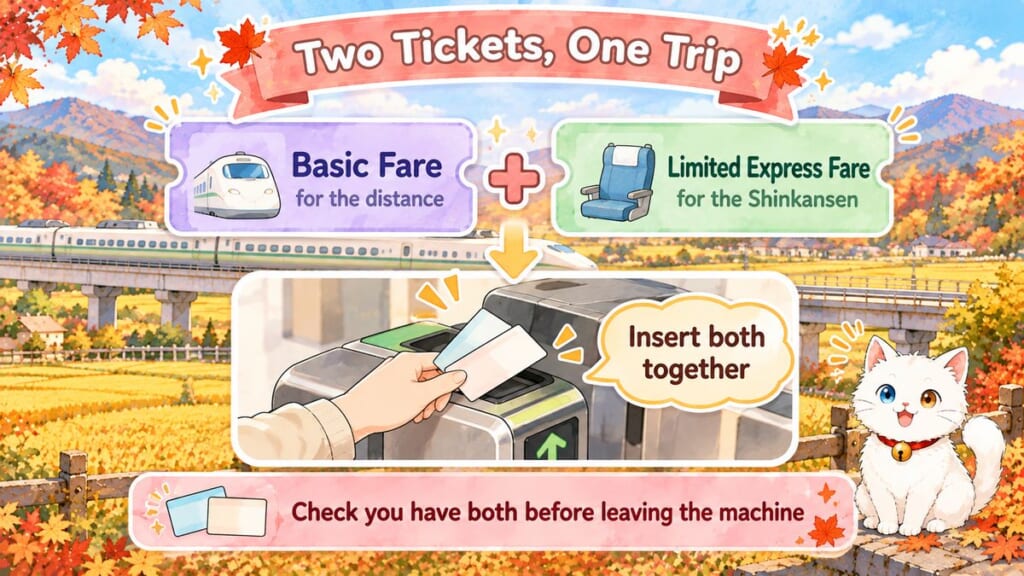
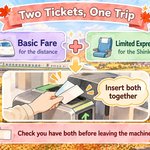
If online payment isn’t working, you can buy Shinkansen tickets at a station machine or staffed JR counter. Just remember that a journey involves two ticket components: the basic fare and the limited express fare.
Why Japan has two kinds of train tickets
The basic fare covers the distance you travel, while the limited express fare covers riding a faster service such as the Shinkansen. That’s why JR may issue two paper tickets for one journey, although the two components can also be combined into one ticket.
The ticket machine: check both parts
At a compatible machine, select the Shinkansen ticket-purchase option, then enter your departure station, destination, travel date, and passenger details. Choose your train and seating type, and check the displayed purchase details.
Before leaving the machine, check that your purchase includes both the basic fare and limited express fare.
If you receive two paper tickets, insert them together at the automatic Shinkansen gate and collect the tickets returned to you. If you’re unsure whether your purchase includes both fares, ask at a staffed counter.
At the counter, just say where you want to go
You don’t need to give a complicated explanation. For example, you could say:
“Two adults, one child, Kyoto, next Nozomi, reserved seats, please.”
If you have a specific departure in mind, show the date and time on your phone. You can also show the number of passengers and ask for seats together.
Make sure the adult and child passenger categories are correct before paying. This is particularly important when you’re traveling with an older elementary-school child or a preschooler who needs their own seat.
What if you change your mind?
For eligible unused standard tickets, the basic fare refund fee is ¥220 (about $1). A reserved-seat limited express ticket costs ¥340 (about $2) to refund until two days before departure, rising to 30% (minimum ¥340, about $2) from the day before departure until the train leaves. Conditions vary by ticket.
One more useful detail: JR’s former round-trip discount ended in March 2026. Simply buying your outward and return journeys together no longer gives you that particular discount.
Do You Need to Book Ahead?
Nozomi trains run frequently, so you can often buy tickets on the day during ordinary travel periods. But if you want specific seats or need your family to sit together, book ahead. I always reserve our four seats in advance for long weekends and New Year’s.
When Nozomi has no non-reserved seats
During certain busy periods, Nozomi operates entirely with reserved seating. That changes how you should plan even a relatively straightforward journey.
The announced all-reserved Nozomi periods are:
- November 21–23, 2026
- December 25, 2026–January 5, 2027
- January 9–11, 2027
- March 20–22, 2027
During these periods, Nozomi has no non-reserved seats. Passengers with non-reserved tickets may have to stand in the deck area, so reserve your seat ahead of time.
As of October 26, 2026, JR Central hadn’t announced all-reserved dates for Golden Week or Obon 2027.
With Kids and Big Suitcases
With kids, decide how many seats you need before booking, even if your youngest can travel free. Large suitcases need a little planning too.
How much do children pay?
| Age | Ticket rule | What to remember |
|---|---|---|
| Under 6 (including 6-year-olds who haven’t started elementary school) | Usually free without a separate seat; child fare if occupying their own reserved seat | One adult can generally accompany up to two young children free under the applicable rules |
| 6–11 (elementary-school children) | Child fare, generally half the relevant adult fare | Check the passenger category when booking |
| 12 and older (junior-high-school age and above) | Adult fare | Elementary-school children who are already 12 are treated differently |
A 12-year-old elementary-school student can still use the child fare, while a junior-high-school student pays the adult fare. Child fares are generally half the basic and limited express fares, subject to JR’s rounding rules; the Green Car supplement isn’t halved.
What I do for my own family
My younger son is four, so he could travel without his own seat under the usual rules. But I buy him a child ticket and reserve a seat anyway.
 Two and a half hours with a four-year-old on my lap? No, thank you!
My older son is 12 and still in elementary school, so he uses a child fare too. When the four of us travel, I reserve four seats: one for my husband, one for me, and one for each of the boys.
If you want to sit together, make sure your reservation includes the actual number of seats you need. Don’t count on finding empty seats beside each other after boarding.
What about strollers?
Strollers don’t need the oversized-baggage reservation, but you’ll still need to keep yours out of the aisle.
For more family travel details, see my guide to traveling Japan with kids.
Bringing a large suitcase onto the Shinkansen
On the Tokaido Shinkansen, luggage with combined height, width, and depth measuring more than 160 cm and up to 250 cm requires an appropriate oversized-baggage reservation.
The seat with oversized baggage area is available in ordinary reserved seating and Green Car, with no extra fee for the luggage-space reservation itself.
If you bring qualifying oversized luggage without the required reservation, a ¥1,000 (about $7) fee applies. Luggage exceeding 250 cm in combined dimensions cannot be brought aboard under this rule.
Strollers, musical instruments, and sporting equipment are excluded from this particular size-based requirement, although appropriate storage still matters.
My preference: send the big suitcases ahead
Personally, I don’t take our big suitcases onto the Shinkansen. I arrange to send them ahead and travel with smaller bags instead.
With two children, that’s simply the way I prefer to handle our family journey.
If that sounds useful for your trip, I’ve explained the practical details in my luggage forwarding guide.
Missed Your Train or It Got Cancelled?
Missed your train? Your options depend on the ticket type and where you bought it. Here’s what to check before buying another ticket.
If you miss your Smart EX train
With an eligible regular Smart EX reserved-seat ticket, you can generally board a later train’s ordinary-class non-reserved carriage on the same day.
You won’t keep your original reserved seat on that later service. Even if you originally booked Green Car, this missed-train provision allows ordinary-class non-reserved travel rather than another Green Car seat.
The discounted EX Hayatoku 21 ticket doesn’t offer this missed-train option.
If you’re running late, try changing your eligible Smart EX reservation before departure and before entering the gate. During all-reserved Nozomi periods, the missed-train rule doesn’t guarantee you a seat.
If JR cancels your train
When a Smart EX service is canceled and you choose not to travel, a full refund is available without the usual cancellation fee.
For eligible IC-card and QR-ticket bookings, the refund is processed automatically to the payment card. If you’ve already collected a paper ticket, you need to go to a station counter.
If you booked through Klook
If your train is canceled, contact Klook from your booking in the app. Keep your booking number and ticket details handy.
If you bought a paper ticket at the station
Keep the original tickets and ask JR staff what applies to your situation. Don’t throw away a ticket simply because the departure time printed on it has passed.
FAQ
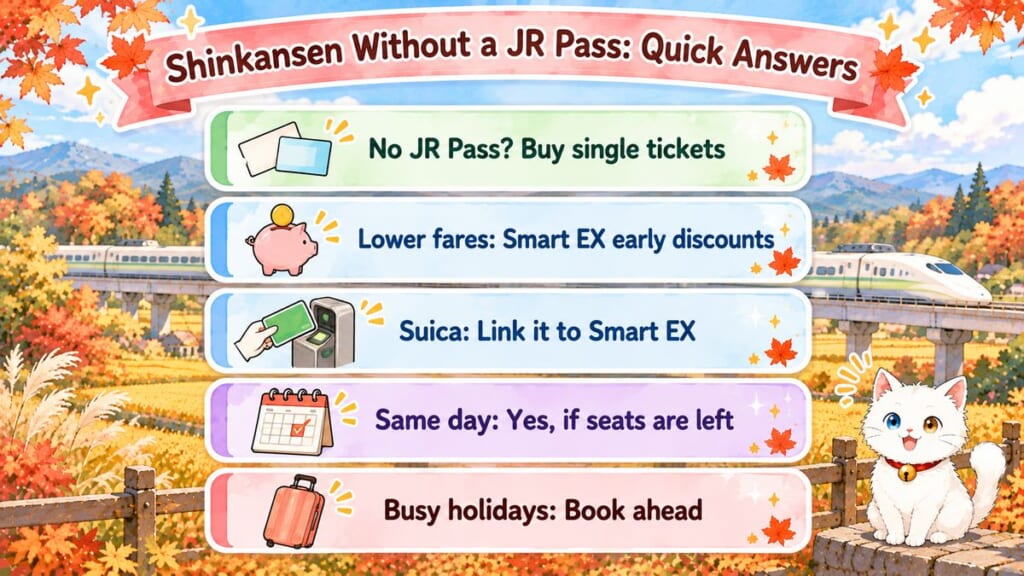
Can I use the Shinkansen without a JR Pass?
Yes. You can buy individual Shinkansen tickets through Smart EX, Klook, or at a station without a JR Pass.
What is the cheapest way to buy Shinkansen tickets?
Smart EX offers official fares and advance discounts such as EX Hayatoku 21. Klook can match the regular fare, so compare the final total for your train and date.
Can I use a Suica card for the Shinkansen?
Yes, you can link a compatible Suica to an eligible Smart EX booking and tap it at the appropriate Shinkansen gate. Your regular Suica balance alone doesn’t replace the Shinkansen ticket.
For the differences between Japan’s everyday transit cards, see my Suica vs PASMO guide.
Is it possible to buy Shinkansen tickets on the day?
Yes, if tickets are available. For busy holidays or seats together, book ahead.
Are Klook Shinkansen tickets reliable?
Yes. Klook sells Shinkansen tickets for Tokyo–Kyoto and Tokyo–Shin-Osaka, with QR boarding on eligible routes. Check the final price, boarding instructions, and refund conditions before paying.
Bottom Line: Pick One, Then Book Your Stay
For Tokyo to Kyoto or Shin-Osaka, here’s the simplest way to choose:
- Smart EX: My first choice if your card works.
- Klook: An English-friendly alternative for booking before arrival.
- Station: Buy in person at a machine or staffed counter.
Once your train is sorted, let’s find somewhere to sleep! For a family stay in Kyoto, see my Kyoto hotels for a family of four. Torn between the two cities? Start with my guide to choosing Kyoto or Osaka as your base. Heading to Osaka? Explore the neighborhoods in my guide to where to stay in Osaka.

9 Kyoto Hotels for a Family of 4 in One Room
Where to Stay in Osaka: Namba vs Umeda vs Shin-Osaka
For the rest of your travel plans, there’s my Japan trip planning guide.
I’d love to hear how you booked your Shinkansen tickets. Did Smart EX work with your card, or did you end up choosing Klook or buying at the station? Leave a comment and share what helped you.
I hope this guide has answered one of your questions and helped you feel a little closer to Japan.
May your Japan journey be filled with wonderful discoveries and memories you’ll treasure for years to come.
See you in the next guide.



Comments