You want to choose your Disney day, but first you need a ticket checkout that works. Start with the official website if you can complete the payment; choose Klook if your overseas card fails or you prefer to finish your booking through its English checkout. You can use English on the official site too.
 Klook displays prices in your selected currency, such as US dollars, and can cost more than the official yen price even for the same day. Before paying, compare both final totals for the same date, park, number of guests and age categories.
Disclosure: This article contains affiliate links. If you buy through one, I may earn a small commission at no extra cost to you.

- Official Site vs Klook: Which One Is Right for You?
- Before You Buy: Date, Park & Age Group
- When Do Tickets Go on Sale? What If Your Date Is Sold Out?
- How to Buy on the Official Site, Step by Step
- Card Declined? Try These in Order
- After Booking: Add Tickets to the App & Share with Your Group
- Entry Ticket vs Premier Access
- Changing Dates, Cancellations & FAQ
Official Site vs Klook: Which One Is Right for You?
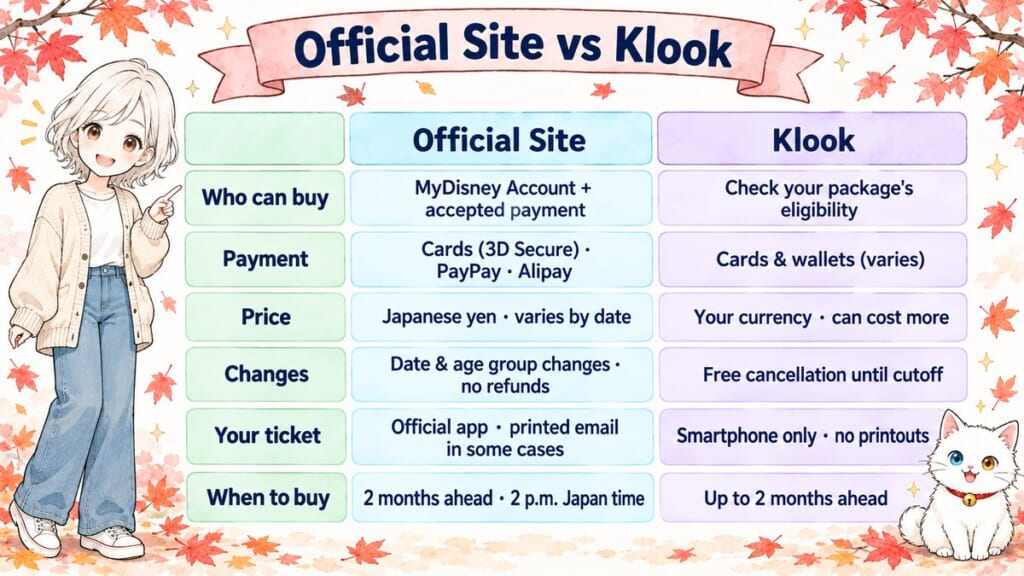
Choose the seller that makes this part of your planning easier. Both routes offer a dated 1-Day Passport, with different payment options and change procedures; the table below helps you match those conditions to your plans.
| What to compare | Tokyo Disney Resort official website | Klook |
|---|---|---|
| Who can buy | International visitors can buy with a registered MyDisney Account and an accepted payment method. | Check the eligibility notes in your chosen package. |
| Payment | Credit cards, PayPay and Alipay. Credit-card payments require 3D Secure authentication. | Credit/debit cards and supported wallets. Available methods depend on your location, currency and booking; look at the payment page. |
| Price | Adult from ¥8,900 (about $56); Junior from ¥7,400 (about $47); Child from ¥5,300 (about $34). Prices vary by visit date. | Shown in your selected currency, such as US dollars. Can be higher than the official yen price for the same day; compare final totals before paying. |
| Changes and refunds | Date and age category can be changed within validity, subject to availability; no cancellation/refund for personal reasons. | Contact Klook. Free cancellation until the package-specific cutoff; a small per-ticket fee afterward. Used or expired tickets are not refundable. Changes cannot be made on the visit day. |
| Using your ticket | Display tickets in the official app; the official email-code instructions also allow a printed email in specified circumstances. | Display each admission ticket on a smartphone. Printed tickets are not accepted. You can also scan tickets into the official app. |
| When you can buy | Normally from 2 p.m. Japan time, two months before your visit on the same calendar date. | The product offers visit dates up to two months ahead, subject to availability. |
These conditions and starting prices are as of October 2026. Dollar estimates use a fixed exchange rate of 155 yen to US$1. Read the terms for your selected date and package before paying, especially if your travel plans might change.
Choose the official site if your payment works and you want to manage eligible date changes directly. It also makes sense if you need a ticket type beyond the 1-Day Passport offered on this Klook page.
Choose Klook if you’re eligible, its checkout suits you, or the official payment fails. Read its cancellation conditions first to see how much flexibility your package offers.

Tokyo Disney Resort 1-Day Passport (Tokyo Disneyland or Tokyo DisneySea)
Rated 4.8/5 by Klook users (Oct 2026) · English checkout · Pay in your own currency · Smartphone ticket, no printing
Prices change with the date and season — check the latest price and availability on Klook.
Before You Buy: Date, Park & Age Group

Before you pay, take a moment to line up the date, park and everyone’s age category. A standard 1-Day Passport covers one person, one day and one park, in the park you choose when booking. If you want to visit both using standard 1-Day Passports on the same day, you need a separate ticket for each park.
Tokyo Disneyland gives you the castle setting, classic Disney stories and a broad mix of attractions. Tokyo DisneySea is built around sea-themed worlds and adventure, with Disney stories woven into them. Choose the park your family most wants to spend a full day exploring, rather than buying first and deciding later. Not sure which park suits your kids? My Tokyo Disneyland vs DisneySea guide compares the two by age and height.
Adult tickets are for ages 18 and over, Junior tickets for ages 12–17, and Child tickets for ages 4–11. Children aged three and under enter free. Use each person’s age on the visit date, not the day you book; a birthday between booking and travel can change the category. There are exceptions based on Japanese school grades, such as a 12-year-old elementary-school pupil qualifying for a Child ticket, so check the official FAQ if your child is around 12 or 18.
 For a family booking, I would write everyone’s name and category beside the date before opening checkout. That gives you something simple to compare against the order summary, without trying to remember it while entering payment details. You’ll find more family planning considerations in my guide to traveling in Japan with children.
When Do Tickets Go on Sale? What If Your Date Is Sold Out?
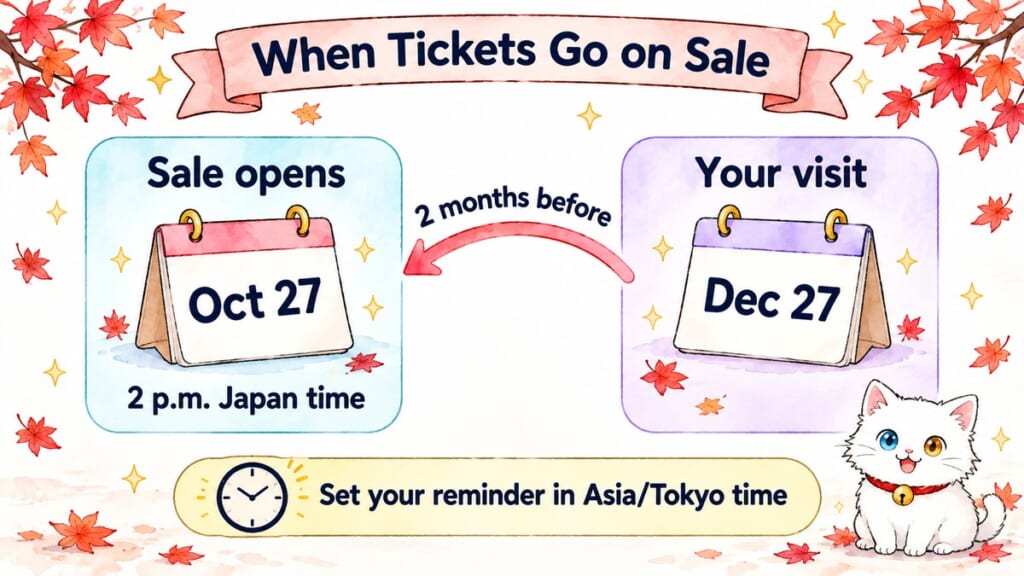
Once you’ve chosen your Disney day, put its release date in your calendar: tickets normally go on sale at 2 p.m. Japan Standard Time, two months before the same calendar date. For example, tickets for December 27 normally open on October 27. If the matching date doesn’t exist in the release month, the official rule moves the release to the first day of the following month.
Set your reminder using the release date and the time zone Asia/Tokyo, then convert it to your own location. Include the local calendar date in your reminder, because it may differ from Japan’s date; daylight saving time can also change the conversion. This is safer than using a fixed overseas time throughout the year.
For year-end and New Year trips, spring break, Golden Week and Halloween weekends, I would aim to buy when sales open rather than rely on a last-minute ticket. Golden Week is Japan’s holiday period around late April and early May. If your itinerary can move, keep an alternative date in mind; my guide to avoiding crowds in Japan can help with the wider trip.
If your date is sold out, check again later: the official website says tickets can return to sale without notice. You can also check the other seller and nearby dates, but don’t assume Klook has stock when the official site doesn’t. Same-day official sales can continue until one hour before closing when tickets remain available; tickets aren’t sold at the park entrances, so buy before traveling there.
How to Buy on the Official Site, Step by Step
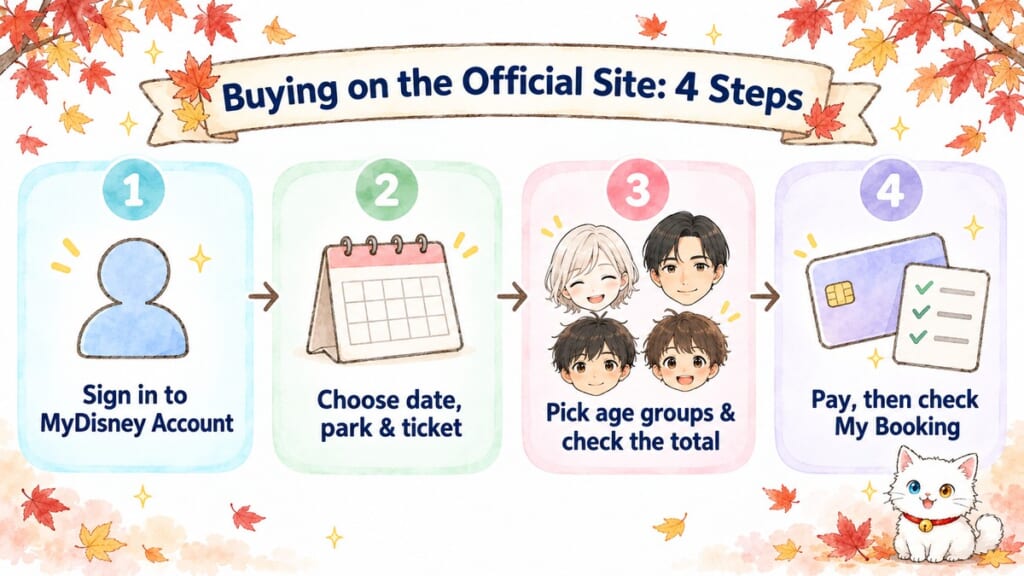
You can take this a step at a time on the official website if your ticket is available and you can complete payment. Have your account and family details ready, with everyone’s park choice settled before checkout.
- Create or sign in to your MyDisney Account. The official instructions direct new users to the account registration option in the Menu on the bookings/purchases page. Use an email address you can access while traveling.
- Choose the visit date, park and ticket type. For the comparison in this guide, select the standard 1-Day Passport. Confirm the park name before continuing.
- Select the number of tickets in each age category. Compare these with your written family list. Review the booking details and total before authorizing payment.
- Complete payment and any card authentication. Then check that the purchase appears in My Booking and keep the ticket email accessible. A checkout error or a pending card transaction alone doesn’t prove you have tickets.
For Klook, choose the park package, visit date and ticket quantities, review eligibility and cancellation terms, then pay. Check the confirmation email and open the actual admission-ticket codes afterward; don’t stop at the payment notification.
If you’re buying separate days, check each order against your itinerary. A correctly purchased Disneyland ticket won’t get you into DisneySea just because both parks are part of Tokyo Disney Resort.
Card Declined? Try These in Order
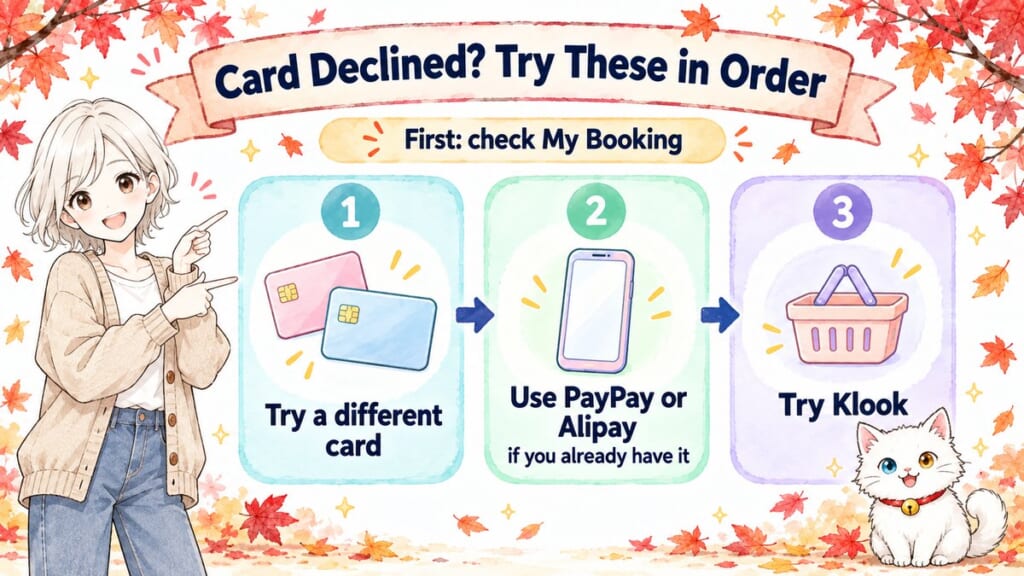
If your overseas card is declined, you have other payment routes to try. The official FAQ acknowledges that some cards issued outside Japan may not be accepted, and its checkout requires 3D Secure, the cardholder verification used for online payment. Ask your card issuer whether authentication is involved.
Before trying another purchase, check My Booking for a completed order. If the order status is unclear, resolve that first rather than risk buying the same tickets twice; the official FAQ explains that a failed transaction can leave a temporary card charge.
- Try a different card. If your Visa fails and you have a Mastercard or American Express, try that instead. All are accepted brands, but the brand alone doesn’t guarantee approval; ask your card issuer whether overseas online payments and the required authentication are supported.
- Use another official payment method if it’s available to you. The official site accepts PayPay and Alipay as well as credit cards. These are useful alternatives if you already have an eligible account; don’t assume you can set one up and use it immediately as a visitor.
- Try Klook. Its available payment methods may suit you better. Recheck the date, park, quantities and terms before paying, and remember that Klook payments can fail too.
Tokyo Disney Resort 1-Day Passport (Tokyo Disneyland or Tokyo DisneySea)
Rated 4.8/5 by Klook users (Oct 2026) · English checkout · Pay in your own currency · Smartphone ticket, no printing
Prices change with the date and season — check the latest price and availability on Klook.
 Cash withdrawn from an ATM won’t complete an online ticket checkout. If you also need cash for the rest of your trip, keep that separate from this booking problem; my guide to Japanese ATMs for foreign cards explains that task.
After Booking: Add Tickets to the App & Share with Your Group
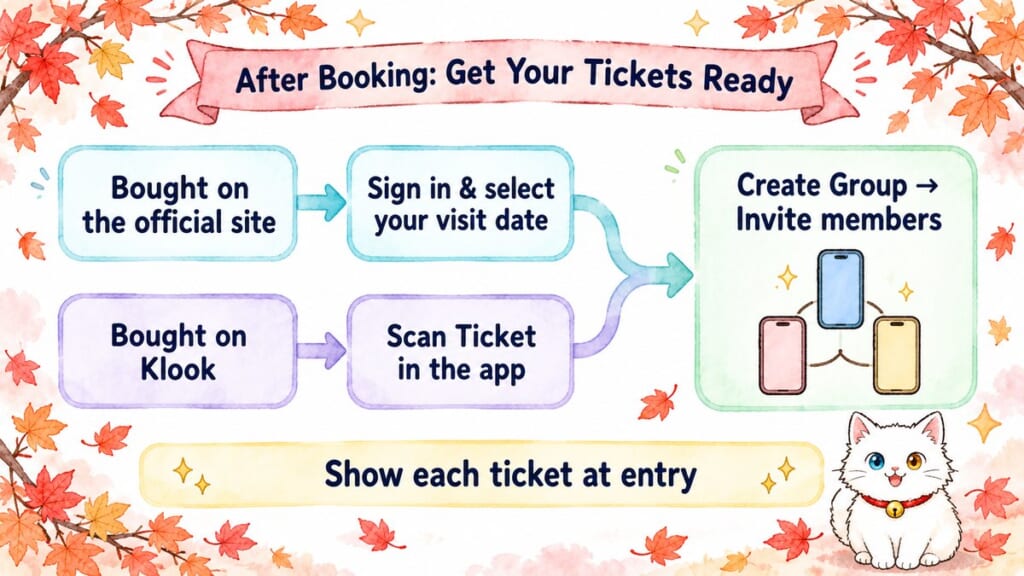
Now that your tickets are booked, get your admission tickets and the Tokyo Disney Resort App ready for the day. If you bought through Klook, add the tickets to Disney’s app yourself using the scanning steps below. Keep the original tickets accessible while you set up the app.
For tickets bought on the official website, sign in to the app with the same MyDisney Account used for the purchase. Select your scheduled visit date on the app’s top page to display the ticket information. The official app displays the admission code on the day of your visit, so return to the ticket information then to open the code.
For Klook tickets, open the admission-ticket code supplied with your booking. The official scanning instructions use Scan Ticket under Park Ticket on the app’s home screen: scan the ticket code with your phone’s camera, read the notes and confirm. Displaying the code on another phone or computer lets your camera read it without requiring you to photograph your own screen.
Some tickets cannot be scanned into the app before entry. If yours won’t scan, use the original smartphone ticket at the entrance, then scan it into the app after entering; the official FAQ describes this fallback. Adding a ticket to the app and scanning it at the entrance are different actions, so an app-import problem doesn’t automatically mean your admission ticket is invalid.
To share tickets and plans with companions who use the app:
- Have the purchaser or group representative display the tickets in their app.
- Select Create Group, then Invite members, and send the invitation link to your companions.
- Each companion signs in to their own MyDisney Account and opens the invitation link. Make sure the shared tickets appear for the correct visit date.
Use a group rather than independently scanning everyone’s tickets into several phones. The official FAQ warns that repeated scanning without a group can make tickets and plans disappear from another person’s app.
At entry, display and scan each ticket separately. A family entering together can use a single phone for its tickets, so your child doesn’t need a phone of their own; everyone whose ticket you’re scanning must be there with you. Klook requires smartphone display and does not accept printed tickets, while the official instructions allow printed emailed codes for guests without the app or entering separately from the person using it.
As a mother, I would prioritize a charged phone, access to the original tickets and working mobile data over a complicated schedule. Arrange your connection before the visit with my Japan eSIM guide, and check the journey from your accommodation. Klook offers a shared transfer from Shinjuku, Ueno, Asakusa and Ginza and a private car transfer from central Tokyo. If you’re heading straight from Haneda Airport, its Haneda limousine bus tickets include Tokyo Disney Resort among the destinations. For the accommodation part, see hotels in Tokyo that can sleep a family of four.
Klook.com
Entry Ticket vs Premier Access
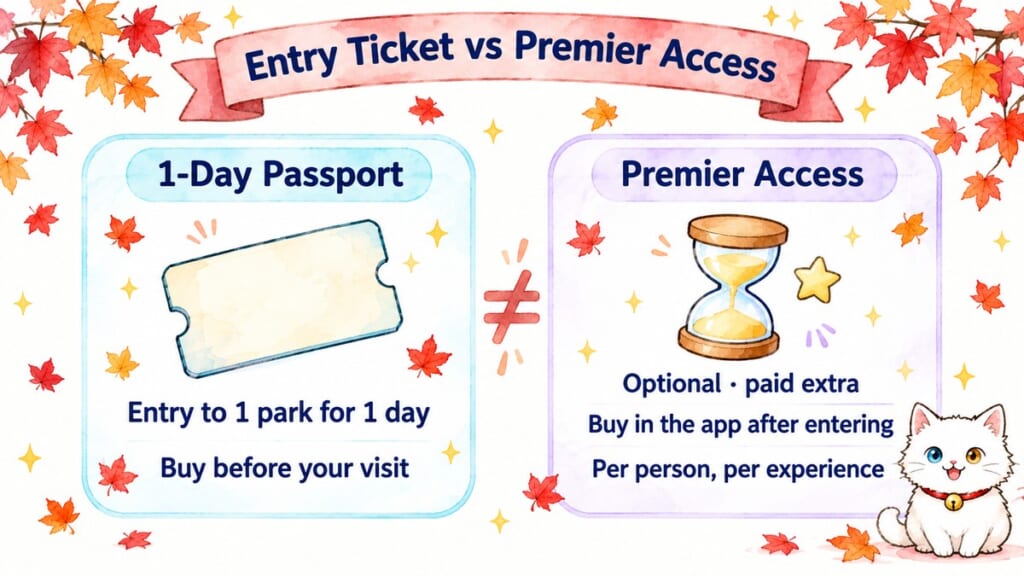
 Your 1-Day Passport takes care of admission to the park you’ve chosen. Disney Premier Access is a separate, optional paid service. The entry ticket isn’t a reservation for a shorter wait at every attraction, and buying it through Klook doesn’t add Premier Access. Food, shopping and transport are separate expenses too.
After entering, you can buy Premier Access through the official app for an eligible experience and available time. It’s purchased per person and per experience, with limited availability; it isn’t a single pass covering your whole family or every attraction. For some shows and parades, the service provides access to a designated viewing area rather than an attraction queue.
As of October 2026, Premier Access costs ¥1,000 (about $6) to ¥3,500 (about $22) per access, per person and per experience. The upper end includes seasonal parades. Check the price for the experience you select before paying.
How to Buy Premier Access in the App
Before your trip, download the free Tokyo Disney Resort App from the App Store or Google Play (it works with US accounts) and sign in with the same MyDisney Account you’ll use for your tickets. Then, once you’re inside the park:
- Open My Plan and pick your tickets. Tap “Disney Premier Access” under My Plan and select the park tickets for everyone who will ride. If you’ve set up a group, all your tickets show up together.
- Choose the experience and time. Anything that’s sold out shows as “Unavailable.”
- Check, pay and tap OK. Cards issued outside Japan work if they’re Visa, Mastercard, American Express or JCB (Diners Club isn’t accepted for cards from abroad). Once you tap OK, you can’t cancel or change it, so check the time and the number of people first.
- Go at your time and show the code. Tap “Display code” in My Plan and scan it, or everyone’s park tickets, at the attraction entrance.
Each park ticket can buy one Premier Access at a time. You can buy one for another attraction 60 minutes later, or once your entry time starts, whichever comes first. No smartphone or card? Ask a Cast Member at the attraction about buying it there.
Travelers have also reported card-payment problems when buying Premier Access inside the park, so keep an alternative card ready for later app purchases. If that happens, return to the different-card advice in the payment section above and ask a Cast Member about the current in-park purchase options. Don’t buy another entry ticket to solve a Premier Access payment error.
Changing Dates, Cancellations & FAQ
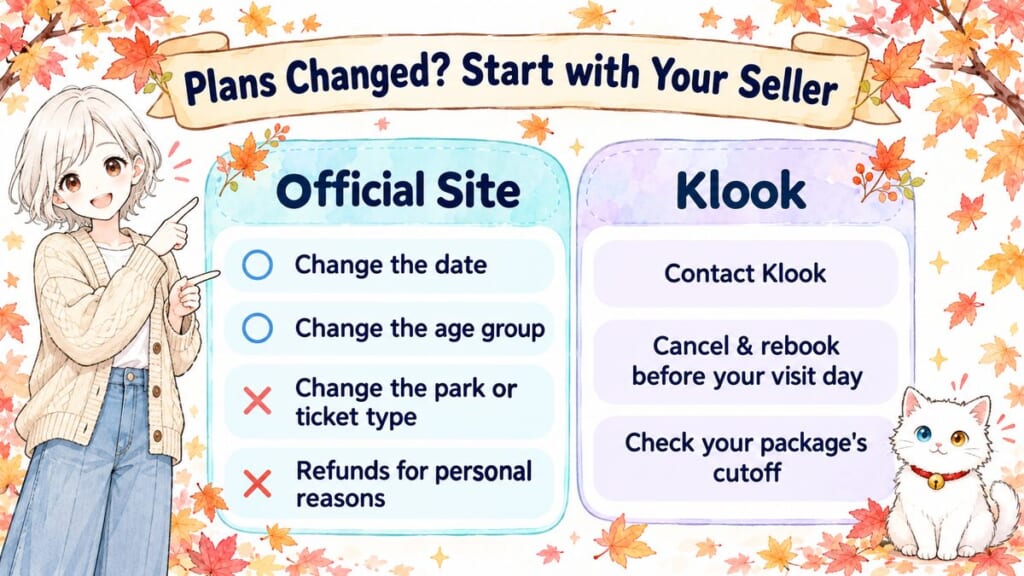
If your plans change, start with the seller you paid: the official website and Klook handle changes differently. Keep your booking reference and original ticket information accessible when you need help.
For official-site purchases, you can change the visit date or age category within the ticket’s validity period without a change fee. You cannot change the ticket type, selected park or expiration date, and you cannot move your booking to a sold-out date. Changes can also be possible after the original visit date has passed, provided the ticket remains valid.
The new ticket’s price applies when you change your booking. The official process charges the new ticket’s full amount and refunds the old amount, even when the prices match. Cancellations and refunds for personal reasons aren’t accepted, and this online change process applies only to tickets bought through the official website.
For Klook purchases, contact Klook rather than the park’s ticket booths. Before your visit day, its package instructions describe canceling an eligible unused ticket and buying again to change the date or park; that is different from editing an official booking. Check replacement availability before starting, especially for a busy date.
Cancellation is free until the cutoff a set number of days before your visit, as specified in your chosen package. After that cutoff, a small fee applies to each ticket. Used or expired tickets are not refundable.
Check the exact deadline in your selected package’s cancellation conditions before paying. Changes cannot be made on the day of your visit.
Can foreigners buy Tokyo Disney tickets on the official site?
Yes, international visitors can buy through the official site with a MyDisney Account and an accepted payment method. Some overseas-issued cards may fail, so keep an alternative payment route available.
Do Tokyo Disney tickets sell out?
Yes, sales can stop when the daily ticket allocation is reached. Sold-out tickets may return to sale without notice, but that doesn’t guarantee availability for your date.
Can I use a printed ticket?
For Klook tickets, no: display the admission ticket on a smartphone. For official purchases, the FAQ allows printed emailed codes for guests without the app or entering separately from the person using it; follow the instructions for your purchase route.
Why Japan does it this way: Here, the dated-ticket system ties your purchase to a particular park’s daily admission limit. Buying ahead helps you establish which day you can enter; it doesn’t reserve every experience once you’re inside. For your planning, the practical distinction is between securing park admission now and arranging optional services later.
If official payment works and its change conditions suit you, buy directly; if an eligible Klook booking is easier for you to complete, use that route after reading its terms. First, check the release date for your chosen Disney day. Then prepare your payment, confirm every ticket category and keep app setup alongside the other tasks in my Japan trip planning guide.
Now I’m curious about your side of the world — do theme parks where you live sell dated tickets in advance, or can you just buy at the gate? Tell me in the comments below. I read every single one!
I hope this guide has answered one of your questions and helped you feel a little closer to Japan.
May your Japan journey be filled with wonderful discoveries and memories you’ll treasure for years to come.
See you in the next guide.



Comments